"Send me the COI and the signed lien waiver for Oak Street. I need it before we release the draw."

Stop hunting for paperwork.

Your permits, certificates of insurance, bids, drawings, invoices and closeout documents are in Dropbox somewhere. Your Magic Folder files them into the folders your crew already uses, so when someone asks for one, you have it.

No credit card needed for the free trial. One folder, however big. You keep the result.

We never sell your information. We read file names to sort them, never what is inside. Our privacy promise
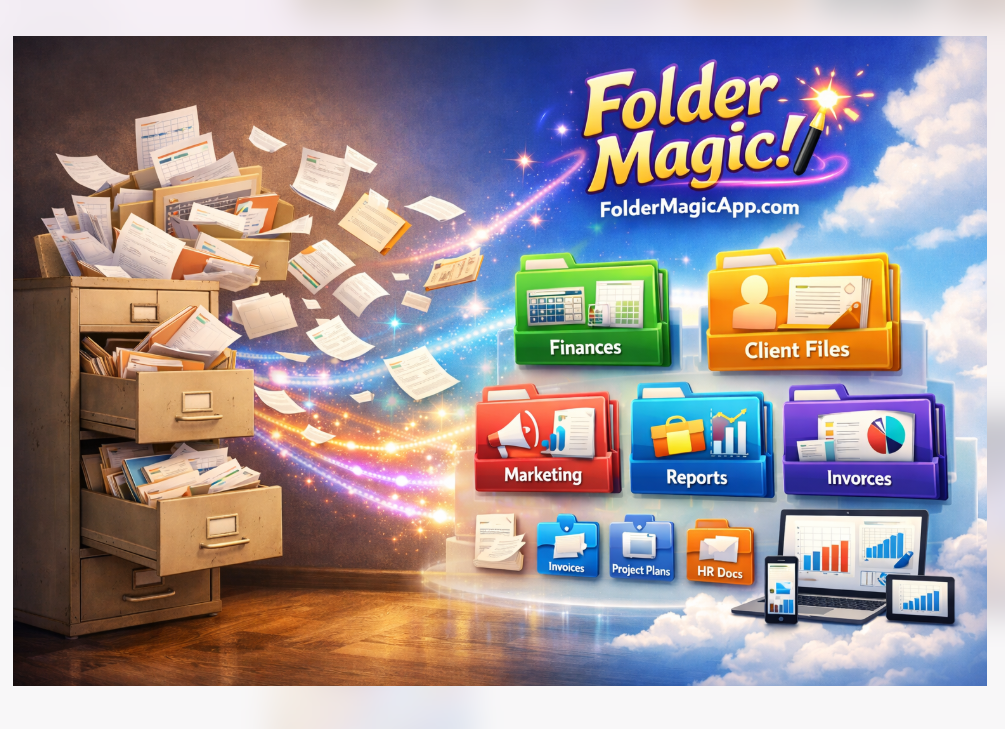
Papers fly out of an overstuffed filing cabinet and land in bright, tidy folders.
Works where your files already are:
  • Dropbox
  • OneDrive
  • Google Drive
  • Your Windows computer

It learns your filing. It does not replace it.

You have a system. It might be by job, by date, or by customer, and it might be half finished. That happens because you ran out of time, not because you were wrong. We keep what you were going for and fix the rest.

1

We read the folders you already keep

Not a template. Not a trade standard. Two lightning protection companies file completely differently, and both are right about their own business.

2

You approve the layout before anything moves

We suggest what is missing, you rename or remove what you do not want, and nothing is created until you say so.

3

Every file is shown to you before it moves

You see where each one is going and can change any of them. Nothing moves on its own unless you specifically turn that on.

4

Any move can be undone

One button puts a whole sort back exactly where it was. Every file, every folder, including the ones inside folders.

What this is not

It does one job. Here is where the job stops.

Not project management.
Procore and Buildertrend run your jobs and cost thousands a year. This does one thing: it files your paperwork. Keep whatever you already use.
Not a photo app.
CompanyCam owns jobsite photos and does it well. We are the layer underneath, for the documents: the permits, certificates, waivers and signed contracts that nobody has ever bothered to organize.
Not a new place to put things.
Your files stay in your own Dropbox, OneDrive or Google Drive, under your own account. We move them within your storage. Cancel and everything stays exactly where it is.
Not magic with a photograph called IMG_4471.jpg.
A permit or a COI has a name that says what it is, and we read those well. A photo with no name is a guess, and we will say so rather than file it somewhere confident and wrong.

Don't take our number. Work out yours.

Four questions. You already know the answers.

We are not going to quote you an industry statistic. You would argue with it, and you would be right to. The number you work out yourself is the only one worth anything.

1
Who files the paperwork: the permits, the COIs, the invoices, the closeout packets?
2
How many hours a week do they spend filing it, and looking for it again?
3
What does that hour cost you, once you add payroll tax and insurance?
4
Multiply the hours by the rate by four and a bit.

That is what filing costs you every month. A plan here starts at $19.

If your estimator left tomorrow, could anyone find their files?

That is the question behind all of this. One person's Invoices is another person's Billing is another person's Acct Payable. Each of them knows where their own work lives. Nobody knows where everyone else's does.

One structure, agreed once

You approve a folder layout. It becomes the one everybody files into, on every computer and in every cloud account you connect.

One correction, learned once

Drag a file where it actually belongs and we remember. Every similar file after that goes there by itself, for everyone, not just for you.

Your free trial: pick one folder. We'll sort all of it.

Not a two-week countdown, and not a few sample files. Choose the folder that is bothering you most, the one with four years of job paperwork in it, and we will sort the whole thing, however big it is. You keep the result whether you buy or not.

Finished, not sampled

A half-sorted folder feels worse than one you never touched. So we finish the folder you pick.

One folder, once

We ask before using it and show you the file count first. Change your mind and nothing is spent.

Then you decide

You will have seen exactly what you would be buying, on your own files, before paying anything.

Priced by the number of people who use it

Count the people who file your paperwork or go looking for it, not everyone on the payroll. Twelve on the job but only four who touch the files? Pick the plan for five. A twelve-person contractor makes around 350 to 600 documents a month, and every plan below covers that many times over.

Solo
$19 a month
  • 1 person
  • 15,000 files a month
  • 2 cloud accounts + Windows
  • Sort on a schedule
Team of 5
$39 a month
  • Up to 5 people
  • 37,500 files a month
  • 3 cloud accounts
  • Shared filing structure
Most pick this
Team of 12
$79 a month
  • Up to 12 people
  • 75,000 files a month
  • 5 cloud accounts
  • 10 schedules at once
Team of 20
$129 a month
  • Up to 20 people
  • 150,000 files a month
  • 10 cloud accounts
  • Sort emails to up to 20 people

Pay by the year and get two months free. More than 20 people? Let's talk. That is a different conversation and we would rather have it properly.

Personal Files Works for the solo user.

Not a business? Make a Magic Folder for your own files.

Your Magic Folder works for a contractor, a small business, or just your own files. Drop files in. It sorts itself. Downloads, screenshots, scans, photos and everyday documents each land in the folder where they belong.

Organize Google Drive, Dropbox and OneDrive automatically

It works the same in all three, and on your Windows computer. It learns the folders you already keep, so nothing ends up somewhere you would never look.

  • One drop zone for downloads, screenshots and loose files
  • Automatic file sorting into your own folders
  • Finds duplicate files so you can clear them out
  • Shows you every move before it happens
  • One button puts a whole sort back
  • Reads file names, never what is inside

Organize 150 files free — in up to 10 sorts. No credit card needed.

What happens when you drop files in

Dropped in

car_insurance_renewal.pdf
beach_trip_2026.jpg
tax_return_2025.pdf
Screenshot 2026-03-02.png
electric_bill_march.pdf

Sorted

Insurance
car_insurance_renewal.pdf
Taxes
tax_return_2025.pdf
Bills
electric_bill_march.pdf
Photos
beach_trip_2026.jpg
Screenshot 2026-03-02.png

Straight answers

Including the things it cannot do yet.

Where does the free folder work?
In Dropbox, OneDrive or Google Drive. The Windows app has the drop-folder side of this today; sorting a whole existing folder is a cloud feature for now.
What if it files something in the wrong place?
You see every move before it happens and can change any of them. After a sort, one button puts the whole thing back. When we are not confident, the file goes to a folder called _You Decide rather than somewhere plausible and wrong.
Does it read my documents?
It reads file names and the names of your folders. Not the contents of your files. We never sell your information.
How do I sign in?
With your Google or Microsoft account, or a link we email you. We never see a password, and you do not need a credit card to start.
What about the paperwork that arrives by text message?
It cannot catch those yet. Today it organizes what reaches a folder on your computer or in your cloud storage. Getting documents in from a text message or an email is not solved yet, and we would rather tell you that than let you find out.
Who is behind this?
A small operation in Tennessee. A lightning protection contractor has been the design partner. That is useful because the paperwork is the same across the trades, so what works for his crew works for a roofer or a plumber. You will be talking to the person who writes it.
Personal Files Works for the solo user