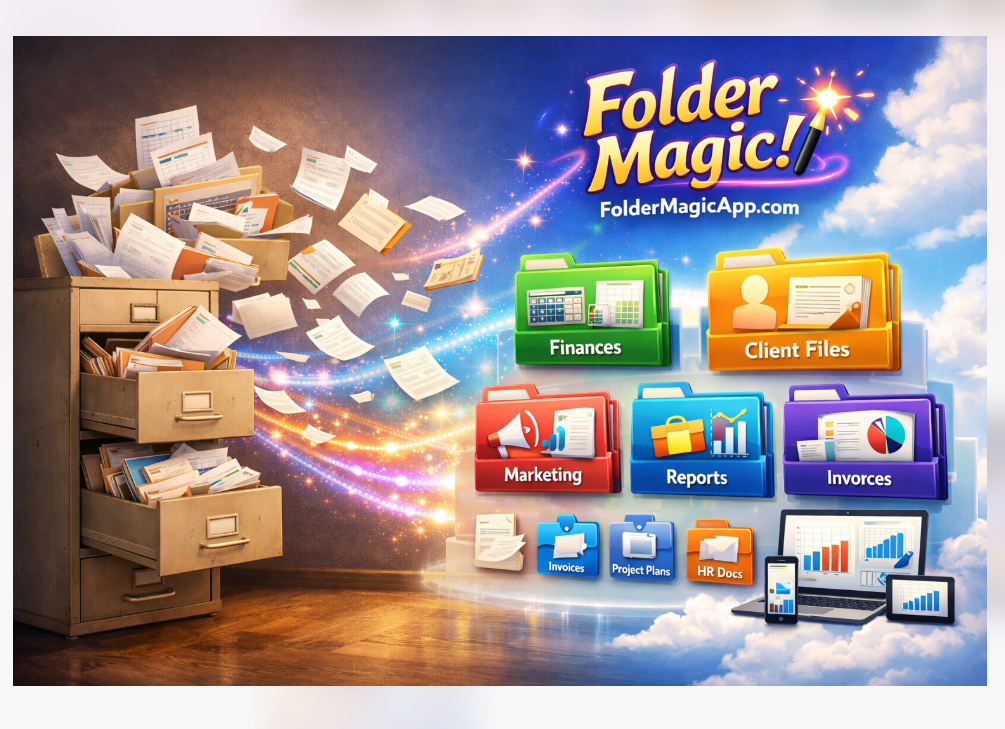
Make a Magic Folder.
Drop files in.
It sorts itself.

Your downloads, screenshots, and random files all go into one folder — your Magic Folder. We put each file where it belongs, automatically. Works with Google Drive, Dropbox, OneDrive, and your Windows desktop.

💚 Try it risk-free — one click puts everything back
No credit card needed. Secure sign in.

Works with all four:

Google Drive Dropbox OneDrive Local Files
Windows desktop app available after sign in
FolderMagicApp - Automatically organize your messy files into neat folders
🪄

Magic Folder

Your smart drop zone for incoming files.

🧠

AI-Powered

Matches files by filename, type, and context.

📋

Find Duplicates

Find and remove duplicate files fast.

💚

Risk-Free

One click puts everything back the way it was.

✨ The Magic Folder

Your Magic Folder Is Your Drop Zone for Everything

Pick any folder in your cloud and make it your Magic Folder. From now on, anything you drop in there gets sorted into the right place — downloads, screenshots, attachments, photos, anything. Your Magic Folder empties after each sort, always ready for the next batch. No more guessing where things belong. No more clutter.

  • Drop downloads, screenshots, and random files into one folder
  • Photos, music, and videos go to the right place by type
  • Documents land in the matching folder automatically
  • Your Magic Folder empties out every time
  • Sort on a schedule so you never have to think about it
  • See exactly where every file went, in your inbox
  • Undo any move with one click — you're always in control
Make My Magic Folder

🪄 How Your Magic Folder Works

Q4_Budget_Final.xlsx
team_photo_2026.jpg
ProjectPlan_v3.docx
invoice_0892.pdf
meeting_notes_feb.txt
📁 Finances
Q4_Budget_Final.xlsx
invoice_0892.pdf
📁 Projects
ProjectPlan_v3.docx
meeting_notes_feb.txt
📁 Photos
team_photo_2026.jpg
How It Works

Get Organized in 3 Simple Steps

Set up in minutes. Sort with one click.

1

Connect Your Cloud

Sign in securely and connect Google Drive, Dropbox, or OneDrive.

2

Make Your Magic Folder

Pick any folder and make it your drop zone. Anything you drop in gets sorted out automatically.

3

Drop & Forget

Drag in downloads, screenshots, and random files all day. They sort themselves into the right place.

Features

Everything You Need to Stay Organized

🪄

Magic Folder

Your Magic Folder is your drop zone for everything. Anything you drop in gets sorted out into the right place.

🧠

Smart Sorting

Looks at the file's name, type, and what it's about — then picks the right folder for you.

📂

Duplicate Finder

Detect duplicate files across your cloud storage and clean up wasted space.

📁

Multi-Cloud Support

Google Drive, Dropbox, and OneDrive — all managed from one place.

🔄

Scheduled Sorting

Set it and forget it. Files organize themselves on your schedule.

💻

Desktop App

Organize local files on your computer with our desktop application.

Sign in to get desktop app →
Pricing

Pick the Plan That Fits You

Start for free. Pay one time and keep it forever, or pay every month if you want a lot of storage.

Free
$0
Try it. No credit card.
  • 1 cloud (Dropbox, OneDrive, or Google Drive)
  • 1 Magic Folder
  • 10 free sorts
  • Find and remove duplicates
  • Undo any move
  • Save your folder layout (1 snapshot)
  • Schedule a one-time sort for later
Start free
Enterprise
$29/month
Or $288 a year — save $60
  • 10 clouds
  • 10 Magic Folders
  • Sort as much as you want
  • Find and remove duplicates
  • Undo any move
  • Email a team of up to 50 people
  • 10 schedules running at once
  • Save up to 25 folder layouts
  • Help when you need it, fast
Get started

Secured Payment Processing

💳 Secured by Stripe 💳 Apple Pay & Google Pay
FAQ

Frequently Asked Questions

Absolutely. FolderMagicApp offers secure sign-in through Google, Microsoft, or a passwordless email link — we never see or store your passwords. We only access the files and folders you explicitly connect, and all data is encrypted in transit. You can disconnect your cloud accounts at any time.
Yes! Every file move can be undone with a single click. FolderMagicApp keeps a complete history of all changes, so you're always in control. Nothing is permanent until you're happy with it.
Yes — really. The first time you sort, we automatically save a picture of where every file lives. If you ever change your mind, click "Put everything back the way it was" on your dashboard and we will move every file back to where it started. This works on every plan, even free. You can try your Magic Folder with zero worry.
FolderMagicApp currently supports Google Drive, Dropbox, and Microsoft OneDrive. We also offer a desktop application for organizing files on your local computer. More integrations are on the way!
Your Magic Folder is a folder you pick in your cloud storage that acts as your drop zone for everything. Drop in downloads, screenshots, attachments, photos — anything — and we sort each file into the right folder for you. Your Magic Folder empties out after each sort, always ready for the next batch. No more guessing where things belong.
No! The Free plan is completely free with no credit card required. You can organize files right away. If you decide you want more features like unlimited sorting or scheduled auto-organization, you can upgrade anytime.
Yes. FolderMagicApp emails you a friendly summary after every sort showing exactly where each file went. You will also see a complete activity log in your dashboard so you always know what happened and when. You can turn the email off any time on your account page.
Yes — we call this a Folder Snapshot. It is a saved picture of where every file lives right now. If you ever change your mind, click Restore and we put every file back where it was. We also save one for you automatically before your very first sort, just in case. Free users get 1 snapshot per cloud, Pro users get 10, Enterprise users get 25.
Yes! Drop your files into your Magic Folder, then click "Or sort it later" right under the Sort button. Pick "Tonight at 9 PM," "Tomorrow at 9 AM," or any time you want. We will run your sort while you are away. This works on every plan, even free.
Every account gets its own share link in the dashboard. Click Copy link, then paste it into a text, email, or social post. Anyone who signs up using your link is counted as your referral. We use this to thank our biggest fans.

Ready for Your Magic Folder?

Connect your cloud, pick a folder, and start dropping stuff in. Takes less than 5 minutes.

Make My Magic Folder

💚 Try it risk-free — one click puts everything back the way it was.